YouTube Shorts have become one of my favorite ways to create and share content online. Unlike long videos, Shorts are quick, easy to watch, and can reach a large audience when the content is interesting. The only problem is that creating good Shorts regularly can take a lot of time. This is where AI tools have made a big difference for me.
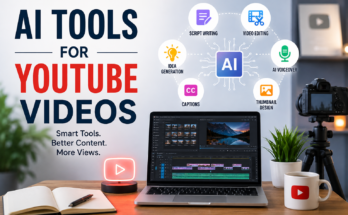
Today, I can use AI to generate ideas, write scripts, create voiceovers, edit videos, add captions, and even improve the overall quality of my content. I do not think AI should completely replace creativity. Instead, I see it as a helpful assistant that makes the content creation process faster.
In this article, I want to share how I use AI tools for YouTube Shorts and which types of tools can be useful for beginners.
Why I Use AI Tools for YouTube Shorts
When I first started thinking about short form video content, one of the biggest challenges was coming up with ideas. Another problem was spending hours editing a short video that might only be watched for a few seconds.
AI tools can reduce a lot of this work.
For example, I can give an AI tool a simple topic and ask it to create several content ideas. I can then select the ideas that actually make sense for my audience. This saves me from staring at a blank page and wondering what to create next.
AI also helps with repetitive tasks. Captions, basic editing, script formatting, voice generation, and content planning can all be made easier with the right tools.
For me, the biggest advantage is not simply saving time. It is having more time to focus on the creative side of the video.
AI Tools for Finding YouTube Shorts Ideas
Before creating a Short, I need a good idea. A video can have excellent editing, but if the idea is boring, people may simply scroll past it.
AI writing assistants can help generate ideas based on a topic. I can ask for ideas related to technology, travel, finance, education, entertainment, or almost any other subject.
For example, if my topic is artificial intelligence, I can ask an AI tool for twenty YouTube Shorts ideas for beginners. It might suggest quick facts, simple explanations, common mistakes, tool recommendations, or comparisons.
I do not use every suggestion exactly as it is. I normally look through the ideas and choose the ones that I think my audience would actually enjoy.
This is important because AI can generate many ideas, but human judgment is still needed to select the best ones.
AI Script Writing Tools
Writing a short script sounds easy, but it can actually be challenging. A YouTube Short has limited time, so I need to explain the idea quickly without making the video confusing.
AI writing tools can help me create a basic script from a simple topic.
For example, I might provide a topic such as “three useful AI tools for students.” I can ask the AI to create a short script with an attention grabbing opening, three useful points, and a simple ending.
The first version is usually not perfect. I normally change the wording and add my own thoughts. I prefer doing this because completely AI generated scripts can sometimes sound repetitive or unnatural.
My goal is to use AI as a starting point rather than allowing it to decide everything for me.
AI Voiceover Tools
Not everyone wants to record their own voice. I understand this because recording a voiceover can feel uncomfortable when you are just starting.
AI voiceover tools can turn written text into speech. Some tools provide different voices, accents, languages, and speaking styles.
This can be useful for faceless YouTube Shorts channels.
For example, I can write a short educational script and use an AI voice to narrate it. I can then combine the voice with video clips, images, animations, and captions.
However, I always recommend listening to the complete voiceover before publishing. Some AI voices may pronounce names or technical words incorrectly. Sometimes the voice can also sound too robotic depending on the tool and settings.
A natural sounding voice is important because viewers can quickly lose interest if the narration feels artificial.
AI Video Creation Tools
One of the most interesting areas for me is AI video generation.
Some AI video tools can create visual content from text prompts. Other tools can help turn scripts into videos by automatically selecting visuals, adding transitions, and arranging scenes.
This can be especially useful for people who do not have advanced video editing skills.
For example, if I want to create a Short about space, I can start with a short script and then use an AI video tool to help create suitable visuals. I can add narration and captions afterward.
I still like to review everything manually because AI generated visuals do not always match the exact message I want to communicate.
AI Video Editing Tools
Editing is one of the most time consuming parts of creating Shorts.
AI powered video editors can make some editing tasks much easier. Depending on the tool, AI may help remove unnecessary sections, detect pauses, create captions, improve audio, resize videos, or organize clips.
Automatic captions are particularly useful for Shorts.
Many people watch short videos without sound, especially when they are in public places. Clear captions help viewers understand the message even when the audio is turned off.
I also believe captions can make videos easier to follow because viewers can read the important information while listening to the narration.
AI Tools for Automatic Captions
Captions are almost essential for many types of YouTube Shorts.
AI caption tools can listen to the audio and automatically create subtitles. This saves a lot of manual typing.
I usually check the captions before publishing because automatic transcription can make mistakes. Names, numbers, technical terms, and unusual words can sometimes be written incorrectly.
A few minutes of checking can make the final video look much more professional.
I also prefer captions that are easy to read. Too much text on the screen can make a Short look messy.
AI Tools for Creating Thumbnails and Visuals
Although Shorts are primarily discovered through the Shorts feed, strong visuals still matter in many situations.
AI image tools can help create backgrounds, illustrations, graphics, and other visual elements for video content.
For example, if I am making a Short about future technology, I can create a futuristic illustration that fits the topic.
The important thing for me is consistency. I try to make sure the visuals match the subject and do not distract from the main message.
AI generated images can look impressive, but using too many complicated visuals can sometimes make a video harder to understand.
AI Tools for Improving Audio
Audio quality can make a huge difference in short videos.
Sometimes I record a voiceover and notice background noise, low volume, or other unwanted sounds. AI audio enhancement tools can help clean up recordings and make voices clearer.
This is particularly helpful when recording with a basic microphone or even a phone.
I would rather have a simple video with clear audio than an impressive video where the narration is difficult to understand.
Good audio keeps viewers focused on the content.
AI Tools for YouTube Shorts SEO
AI can also help with the optimization side of YouTube Shorts.
I can use AI to generate possible titles, descriptions, keywords, and content ideas. It can also help me think about what questions people might search for around a particular topic.
However, I do not blindly copy AI suggestions.
A title should still sound natural and accurately describe the video. I do not believe stuffing a title or description with random keywords is a good strategy.
The most important thing is still creating something that people want to watch.
How I Would Create a Short Using AI
My process is fairly simple.
First, I choose a topic that I believe my audience will find useful or entertaining. Then I use an AI writing tool to generate several ideas.
After choosing one idea, I create a short script. I edit the script myself so that it sounds more natural.
Next, I create or collect the visuals. Depending on the topic, I might use stock footage, screen recordings, images, animations, or AI generated visuals.
After that, I create the voiceover. I can either record my own voice or use an AI voice.
Then I put everything into a video editor and add captions, music, transitions, and other necessary elements.
Finally, I watch the entire Short before publishing it.
This last step is very important. I look for spelling mistakes, incorrect information, awkward pauses, poor transitions, and anything that could make the video less interesting.
Mistakes I Try to Avoid With AI
One mistake I see people making is relying completely on AI.
AI can produce content quickly, but fast does not always mean good.
If I generate hundreds of Shorts without checking the information or adding anything personal, the content can become repetitive. Viewers may notice that every video sounds the same.
Another mistake is publishing AI generated information without checking it. AI can sometimes provide incorrect or outdated information.
I believe the creator should remain responsible for the final video.
I also avoid making every video look identical. Even if AI helps with the process, I want my content to have its own personality.
Are AI Tools Worth Using for YouTube Shorts?
In my opinion, yes.
AI tools can be extremely useful for beginners, especially people who have limited editing experience or do not have much time.
They can help with brainstorming, scripting, voiceovers, video creation, editing, captions, audio improvement, and content planning.
But I do not think AI is a magic solution for growing a YouTube channel.
The most important things are still the idea, the value of the content, the opening seconds, consistency, and understanding the audience.
AI can help me work faster, but it cannot completely replace my judgment.
Final Thoughts
AI has changed the way I think about creating YouTube Shorts. What once required several different skills can now be done with the help of accessible AI tools.
For beginners, this is a great opportunity. You do not need to be an expert editor, professional voice actor, or experienced scriptwriter to start experimenting with Shorts.
I would recommend starting with one or two AI tools instead of trying everything at once. Learn how they work, create a few videos, see what your audience likes, and improve from there.
For me, the best use of AI is not letting it create everything automatically. I prefer using it as a creative assistant.
The final video should still have my ideas, my judgment, and my personality.
If you use AI in this way, creating YouTube Shorts can become much easier, faster, and more enjoyable. The technology can handle many of the repetitive tasks, while you can spend more time thinking about what really matters: creating videos that people actually want to watch.